Configuring Routing
Routing controls which model version is served when a client omits "version" in the request body.
Edit the routing config
Restart the server (or let --reload pick it up) after editing.
Strategies
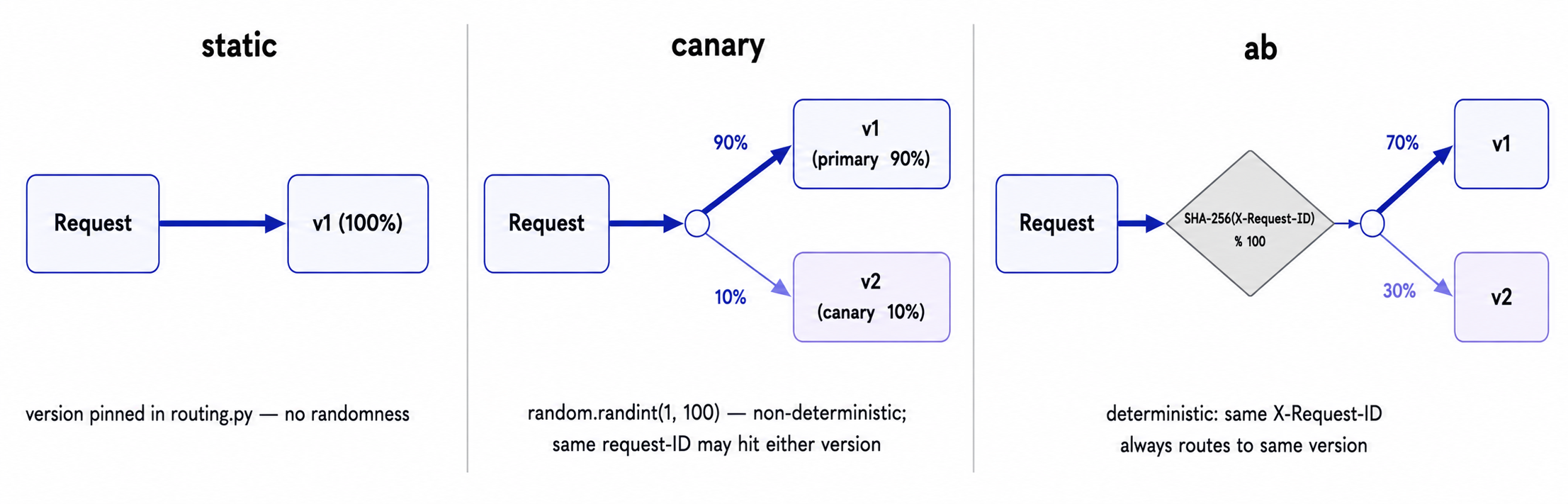
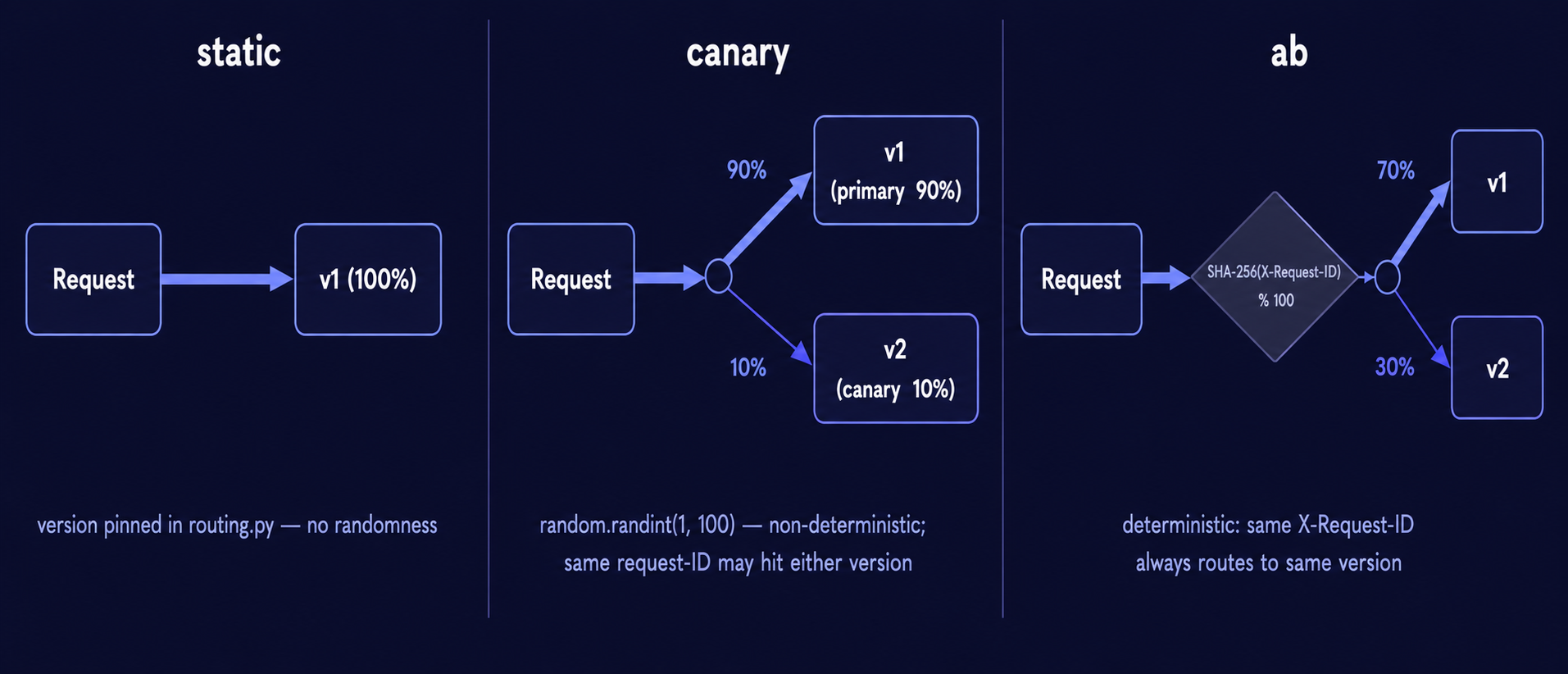
static — always serve one version
canary — gradual rollout
"my_model": {
    "strategy": "canary",
    "primary": "v1",
    "canary": "v2",
    "canary_percent": 10,   # 10% to v2
}
Uses random.randint — not deterministic per request. Adjust canary_percent to increase traffic to the new version.
ab — deterministic split
Routes based on SHA-256 hash of X-Request-ID. The same request ID always routes to the same version. Requires a non-null X-Request-ID header.
Bypassing routing
Provide "version" explicitly in the request body to bypass routing entirely:
CLI-deployed routing
When you deploy with inference-engine deploy, the routing entry is written automatically based on the --routing flag. You can edit app/config/routing.py afterwards to adjust percentages or switch strategies.
See Routing concept for implementation details.