Fixing a Broken Deployment
Use the fix CLI command to repair a broken pipeline definition automatically.
Quick fix
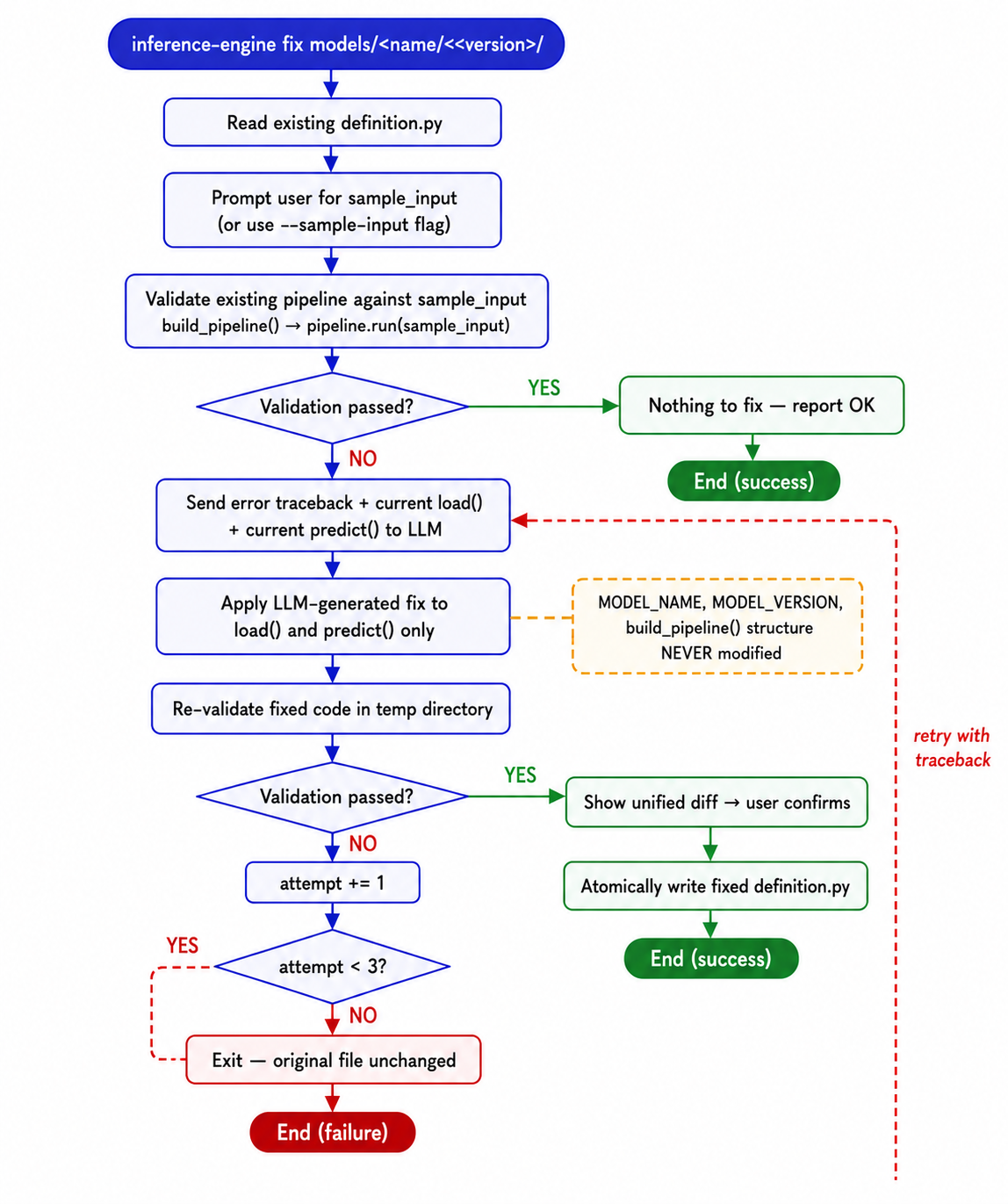
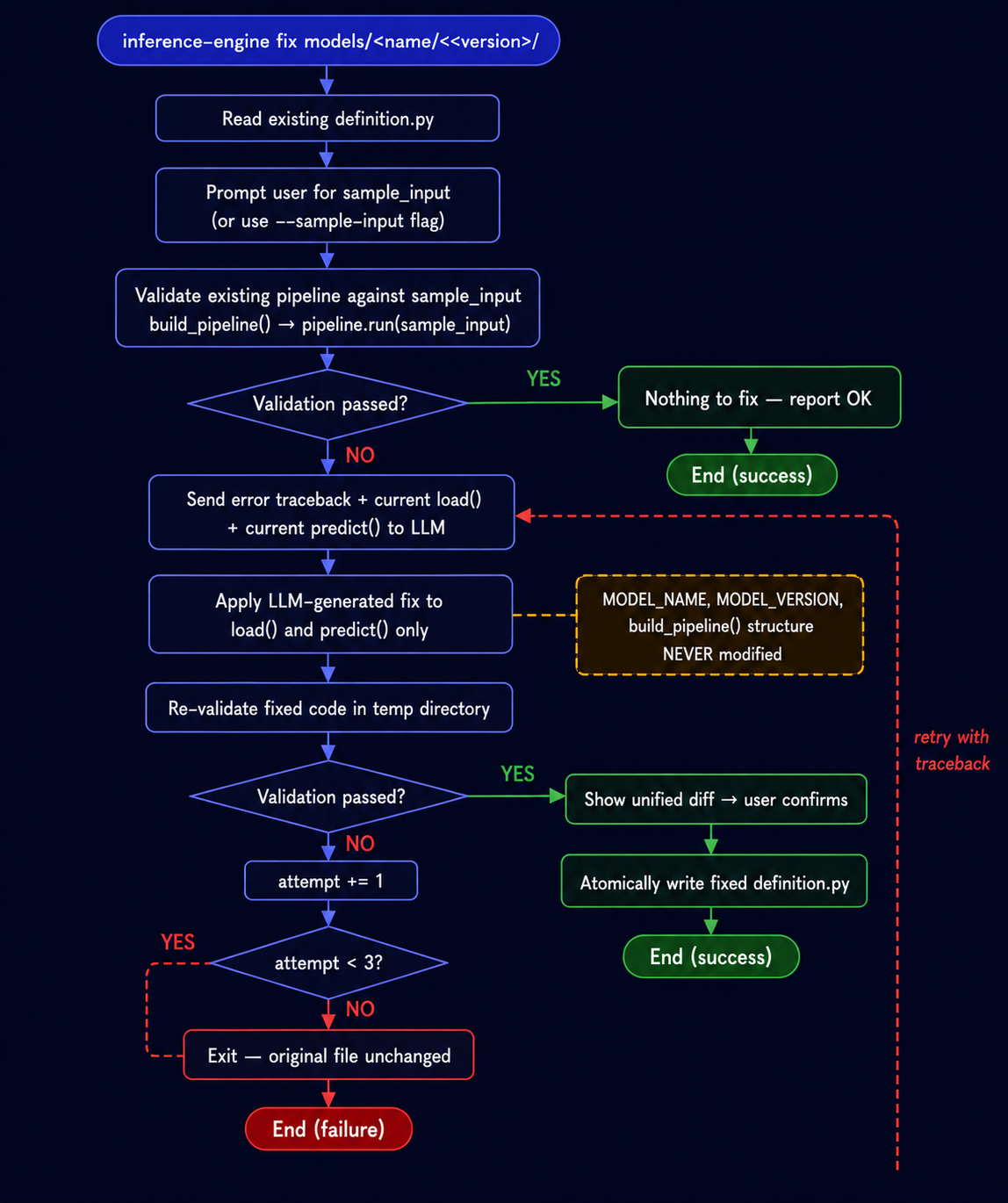
The CLI will:
1. Read the existing definition.py
2. Ask for a sample input
3. Validate the pipeline — if it passes, nothing to do
4. If it fails, send the error + code to the LLM for a fix
5. Re-validate; retry up to 3 times
6. Show a unified diff and ask for confirmation before writing
What gets rewritten
Only load() and predict() are ever rewritten. The rest of definition.py — imports, MODEL_NAME, build_pipeline structure — is preserved.
If all retries fail
The command exits with an error and the original file is left unchanged. You can then edit definition.py manually and re-run fix.
Manual repair
If you prefer to fix manually:
- Open
models/<name>/<version>/definition.py - Check the
load()method — ensure the artifact path is correct and the model loads without error - Check the
predict()method — ensure it accepts the preprocessor output format - Test with a direct Python call before restarting the server
Common issues
| Symptom | Likely cause |
|---|---|
FileNotFoundError in load() |
Artifact path is wrong or file was not copied |
TypeError in predict() |
Input format mismatch — check preprocessor output |
ValidationError on every request |
Validator rejects the preprocessed input shape |
ModelNotFoundError |
MODEL_NAME / MODEL_VERSION don't match the request |
See Troubleshooting for more.